
- Type
- Desktop app
- Released
- Oct 2026
- Source
- Open source ↗
- Get it
- Download ↗
Five photos of the same moment. A library full of screenshots from debugging apps. I built Picker to make those decisions easier, directly in Apple Photos.
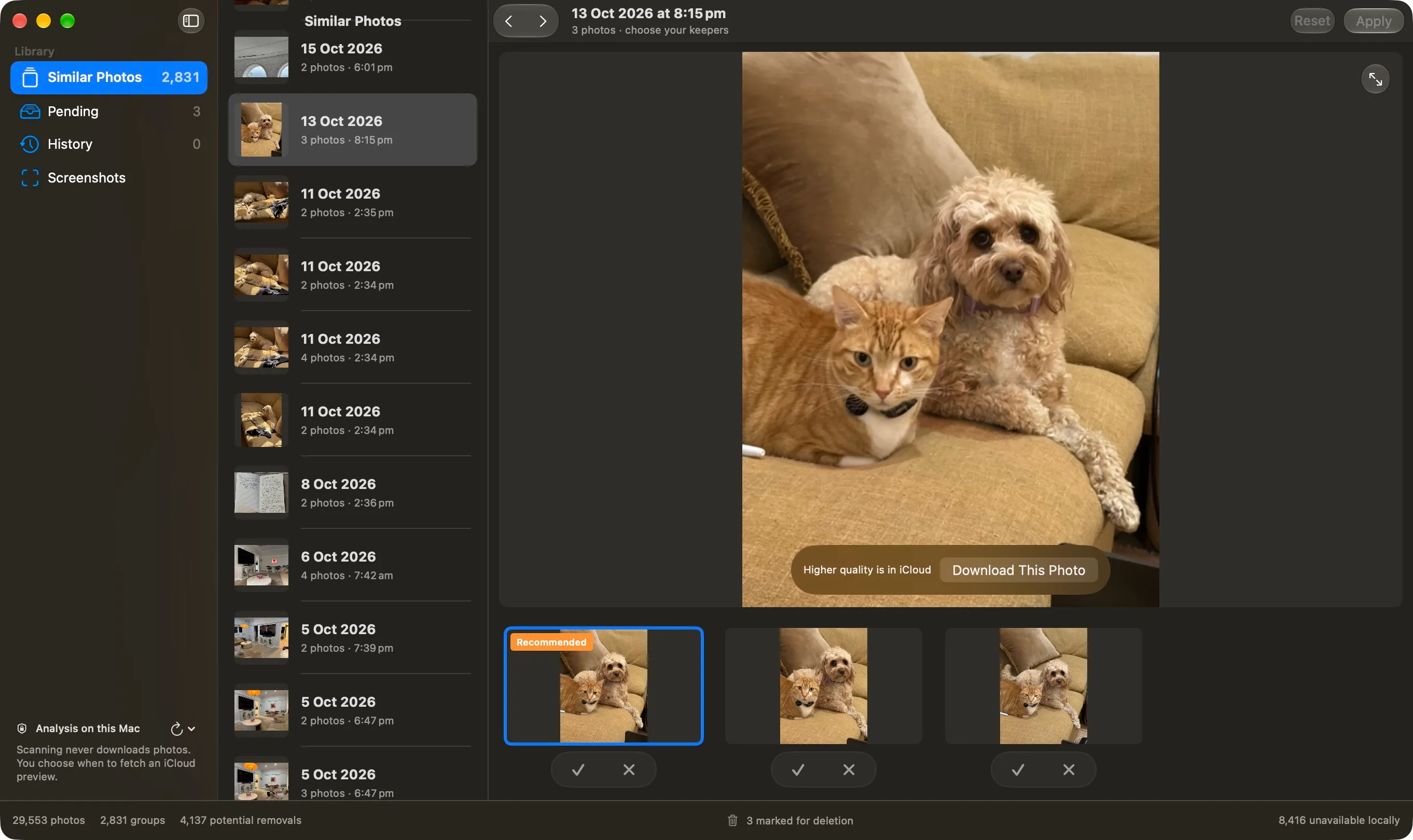
Picker groups similar photos taken close together and suggests a keeper. Compare them in a large preview, choose the ones you want, and clear the alternatives when you are ready. You can keep more than one.
Choose what stays
A blue outline shows the photo you are looking at. An orange badge marks the recommendation. Green ticks are keepers; red crosses are pending removals. The suggestion is a starting point, and nothing is selected for you.
Use the arrow keys to compare photos and Return to keep one. Apply confirms removal from the current group. Pending collects all marked photos so you can review them together, while History records completed groups. Reset clears a group’s choices.
Keep analysis on your Mac
Picker uses Apple Vision to compare photos locally. Analysis and review choices are cached on your Mac so you can pick up where you left off, and completed groups stay available while scanning continues.
Scanning does not download photos from iCloud. If a better preview needs a download, you choose to fetch that photo. Photos that cannot be read locally are left for a later scan.
Give screenshots a home outside Photos
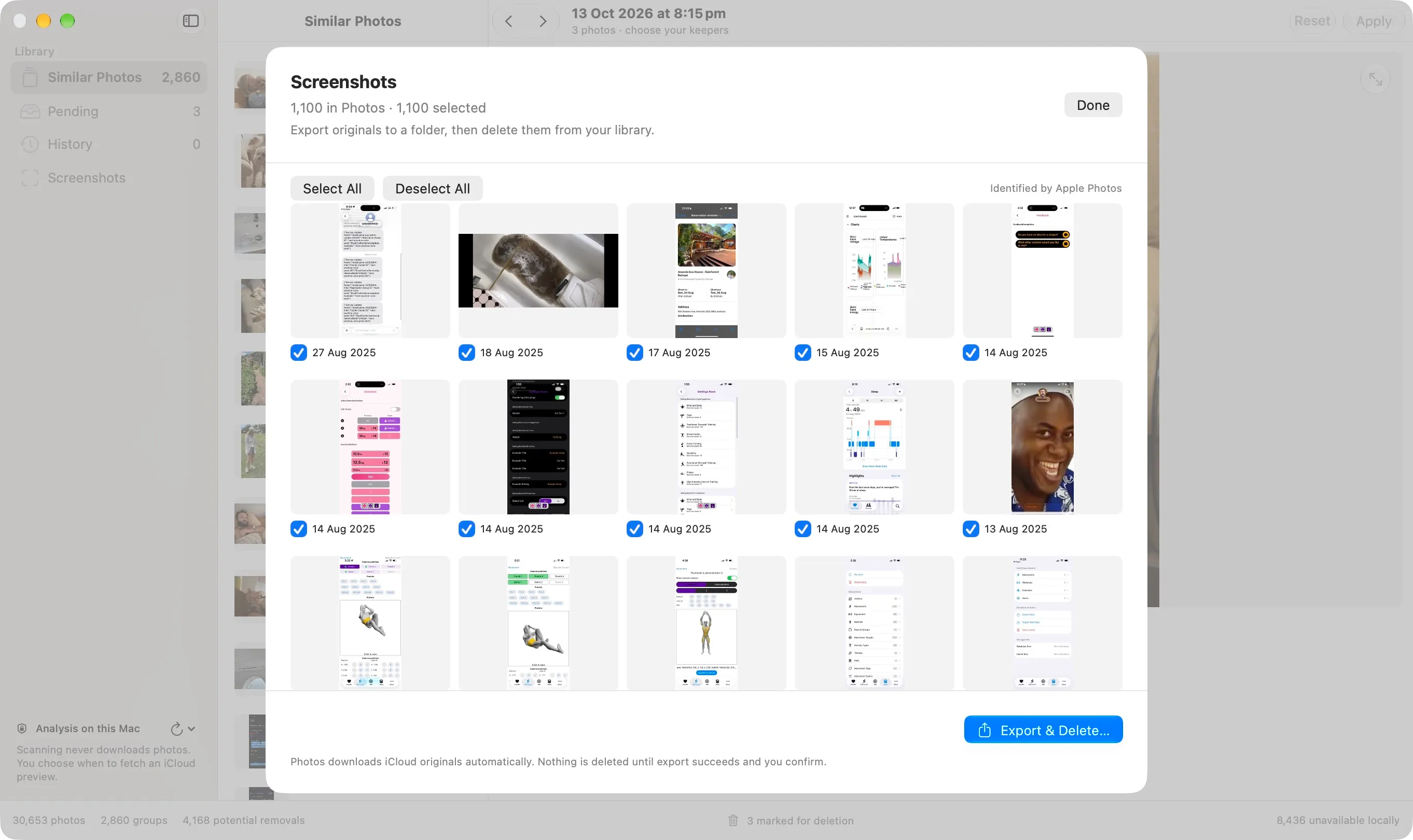
Debugging screenshots can outlive the problem they were taken for. Picker finds images Apple Photos identifies as screenshots and exports their originals and associated resources to a folder you choose.
It checks the exported files before offering a separate deletion confirmation. A manifest records which files belong to each screenshot and their checksums. Exporting can download originals from iCloud; closing the review after export leaves both copies intact.
Get Picker
Picker runs on macOS 26 or later and includes Apple Silicon and Intel builds. Open the DMG and drag Picker into Applications, then allow Photos access to review your library. App updates use Sparkle, with a Check for Updates command in the Picker menu.
The GitHub release includes the app, a ZIP and checksums. The source is on GitHub. Deletions use Apple Photos and sync through iCloud Photos; deleted images remain recoverable in Recently Deleted.
Get Picker
Keep the photos you love. Clear the rest.