Software / Desktop app
Agent Secrets
Development credentials for your coding agents, kept in the Keychain.

- Type
- Desktop app
- Released
- Oct 2026
- Source
- Open source ↗
- Get it
- Download ↗
Coding agents need credentials to do real work: a Cloudflare token to deploy, an App Store Connect key to ship a build. I built Agent Secrets to hand them over without pasting tokens into chats or .env files, and without giving every agent every key.
Agent Secrets is a small Mac app for development credentials. They’re stored in the Keychain and sync across your Macs through iCloud Keychain. Agents read them through a local MCP server, and each agent only sees the credentials of the project it’s working in.
Add a credential in seconds
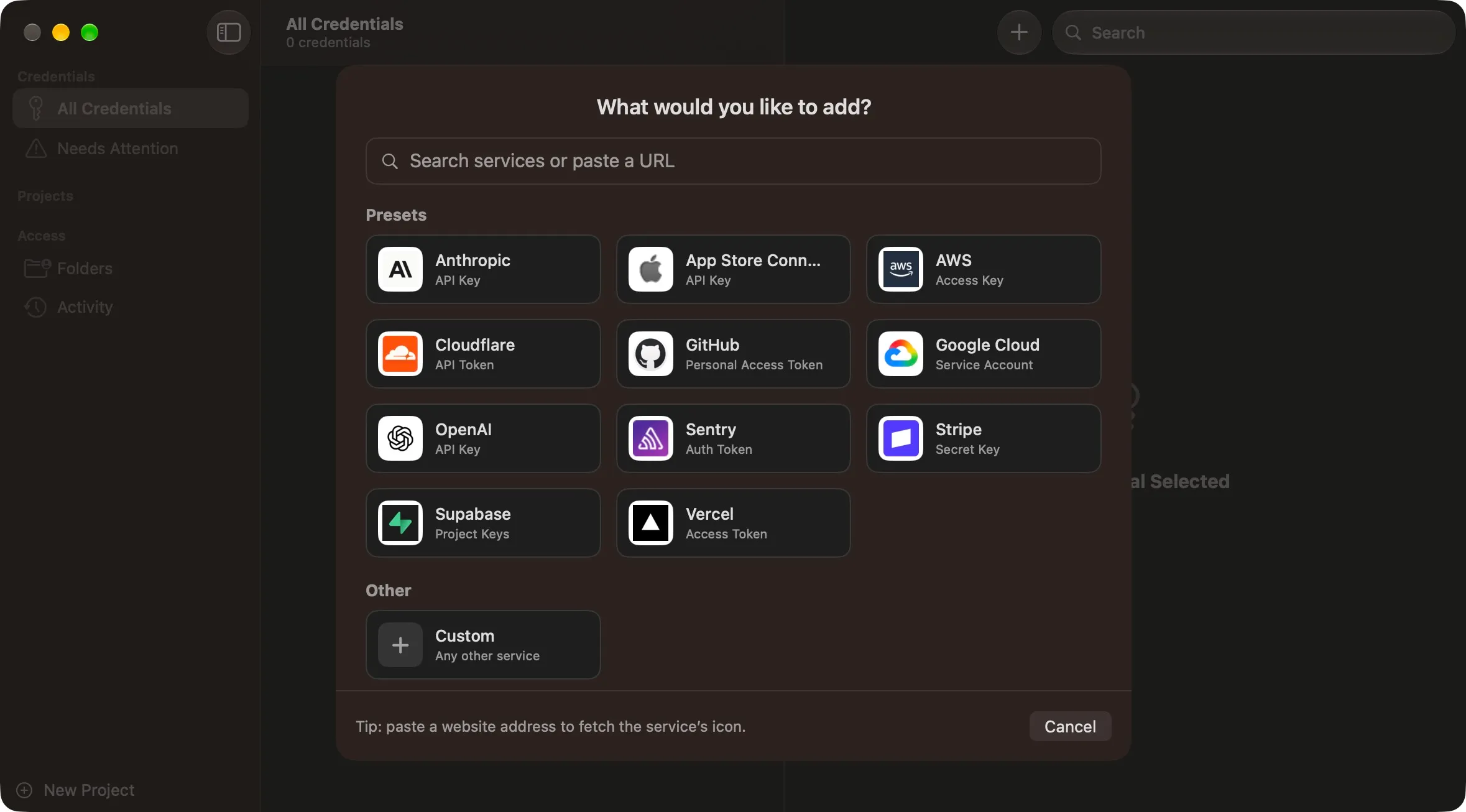
Start from a preset for common services such as Anthropic, OpenAI, Cloudflare, GitHub, AWS, Stripe, Supabase or App Store Connect. Each preset brings its usual fields, so an App Store Connect key asks for a key ID, issuer ID and private key. For anything else, paste the service’s website and Agent Secrets fills in the name and fetches its icon.
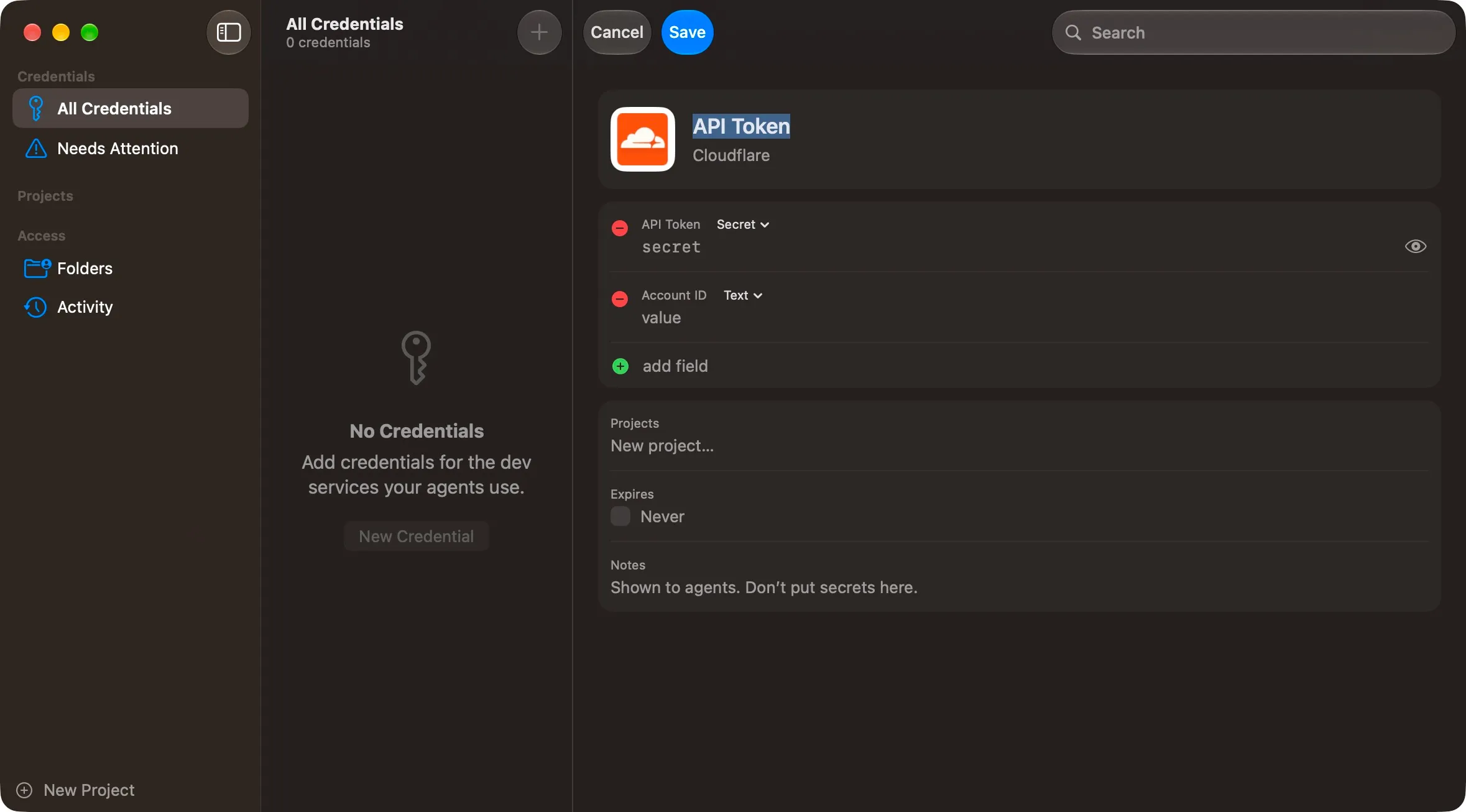
Credentials are edited in place, like a card in Contacts or 1Password. Drop a .p8 key file onto a field to fill it.
Scoped to the project, not the agent
Tag each credential with the projects that use it, then grant your project folders access. When an agent starts the MCP server, Agent Secrets works out which authorised folder it’s running in and binds the session to that project. The agent can list and read that project’s credentials, and nothing else. It can’t ask for another project’s.
There are no approval prompts, so an overnight run never stalls waiting for you. Revoking a folder or untagging a credential takes effect on the next request. Every access is logged with the folder, project and credential, but never the value.
Errors are written for agents to act on. If a credential is missing, an agent is told what is available instead. If a credential has been registered but its value hasn’t synced to this Mac yet, it says exactly that.
Get Agent Secrets
Agent Secrets runs on macOS 15 or later. To connect Claude Code or another agent, copy the setup command from Settings → Agents. App updates use Sparkle, with a Check for Updates command in the Agent Secrets menu.
The source is on GitHub, along with the latest release.
Get Agent Secrets
Development credentials for your coding agents, kept in the Keychain.